01/04
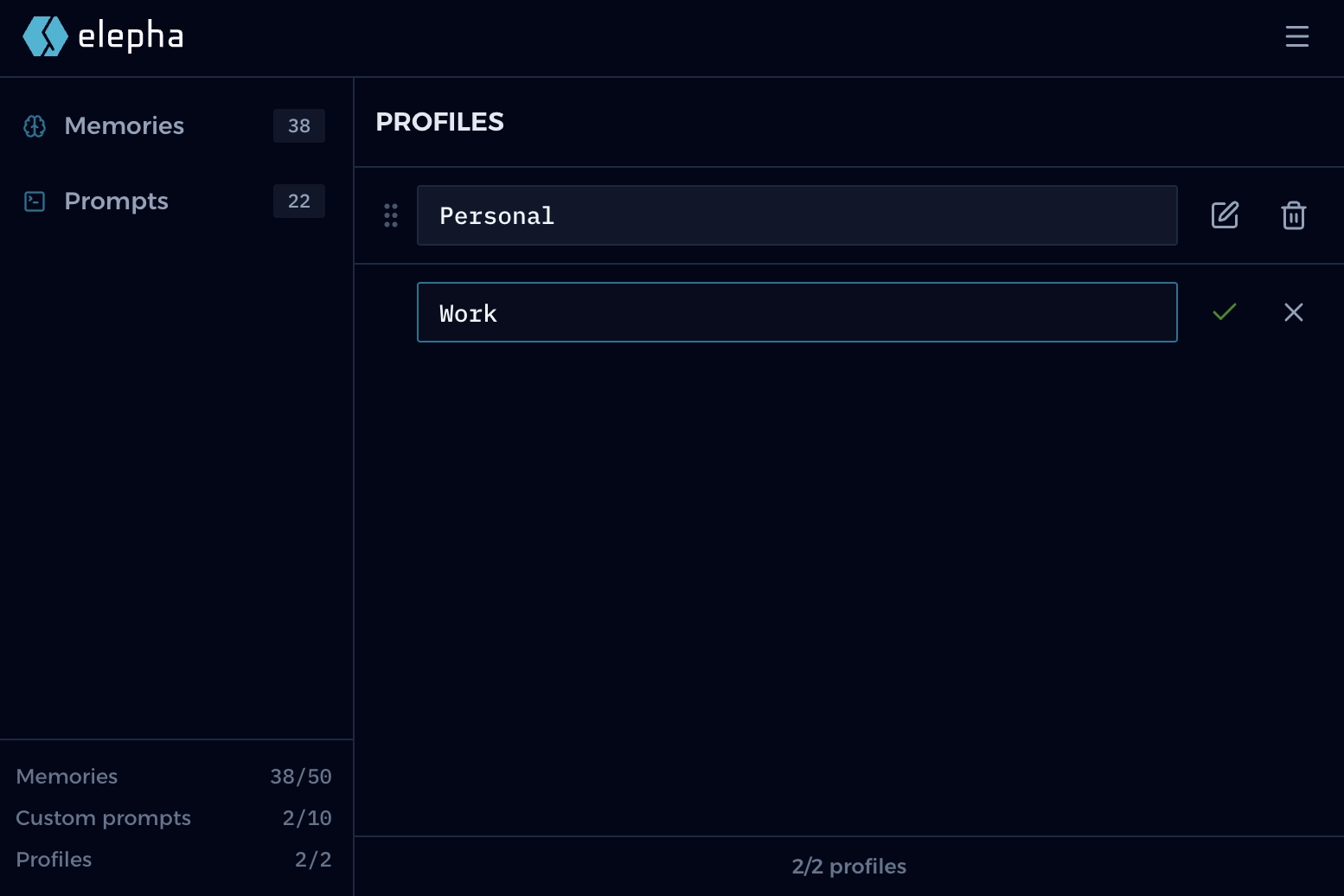
Set up profiles
Create focused profiles
Keep personal, work, role-based, or project-specific context separated so each AI tool starts with the right foundation.
/Meet Elepha
/AI Memory & Prompt Manager
Elepha is not another AI chat. It is a browser extension for saving profiles, memories, and prompts, so you can use the right context in ChatGPT, Claude, Gemini, and other AI tools.
/ No sign-up/ No credit card/ Ready in seconds
/How Elepha works
The better the context for your AI chat, the better the responses will be. Elepha makes that part feel effortless: clean, fast, and natural from your first click.
01/04
Set up profiles
Keep personal, work, role-based, or project-specific context separated so each AI tool starts with the right foundation.
02/04
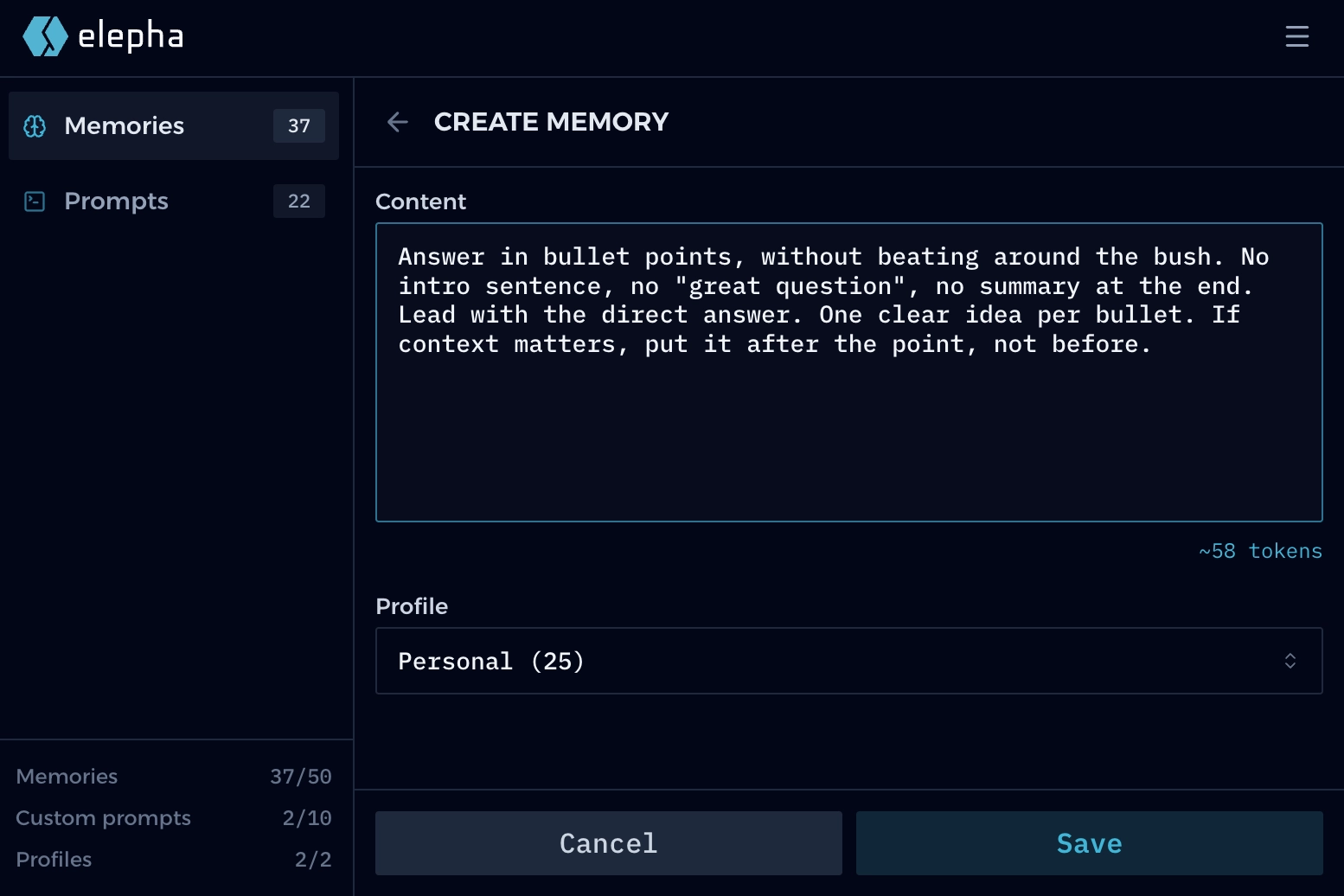
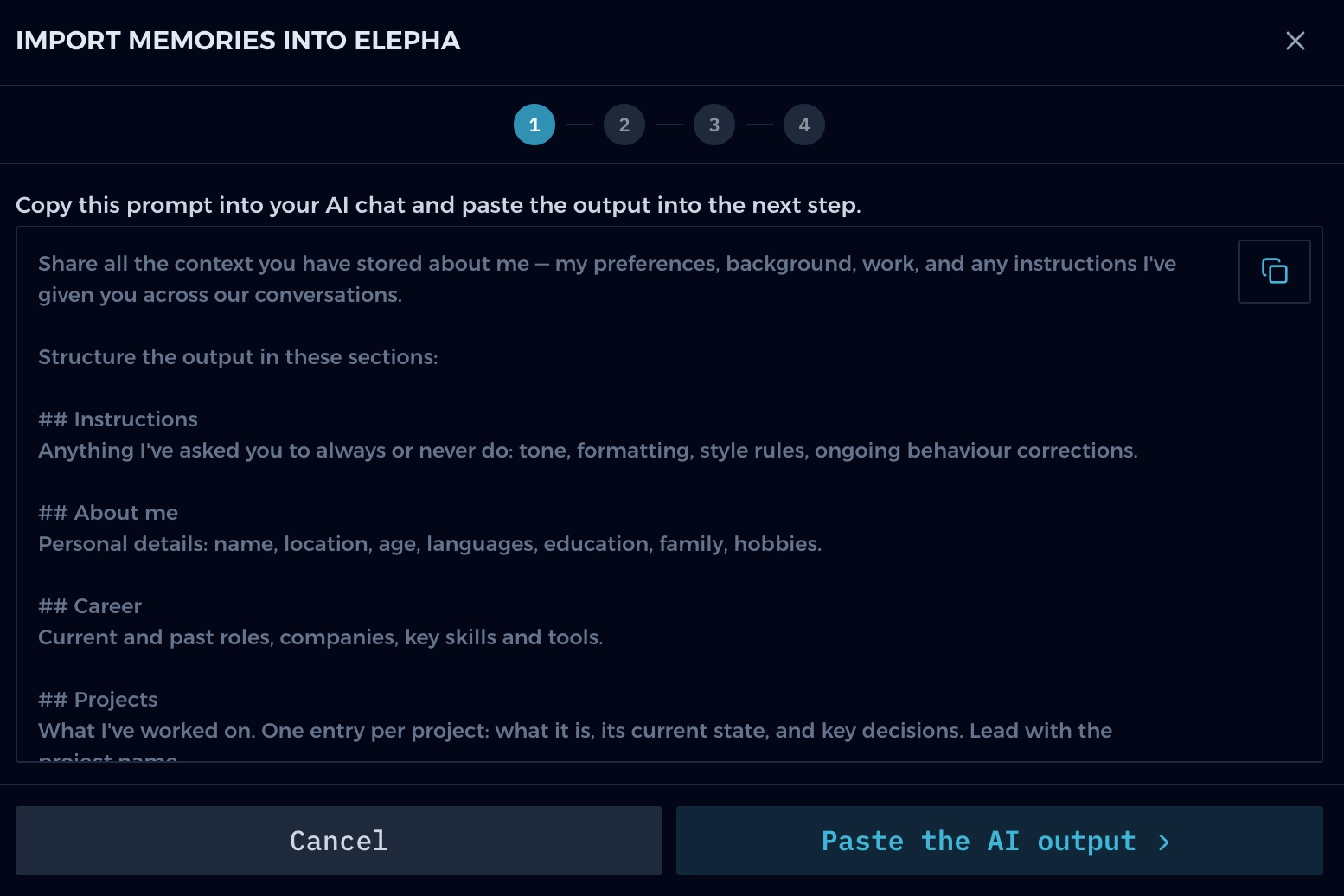
Memories by profile
Add memories or import them from your AI tools, and keep them organized by profile and ready for any AI chat.
03/04
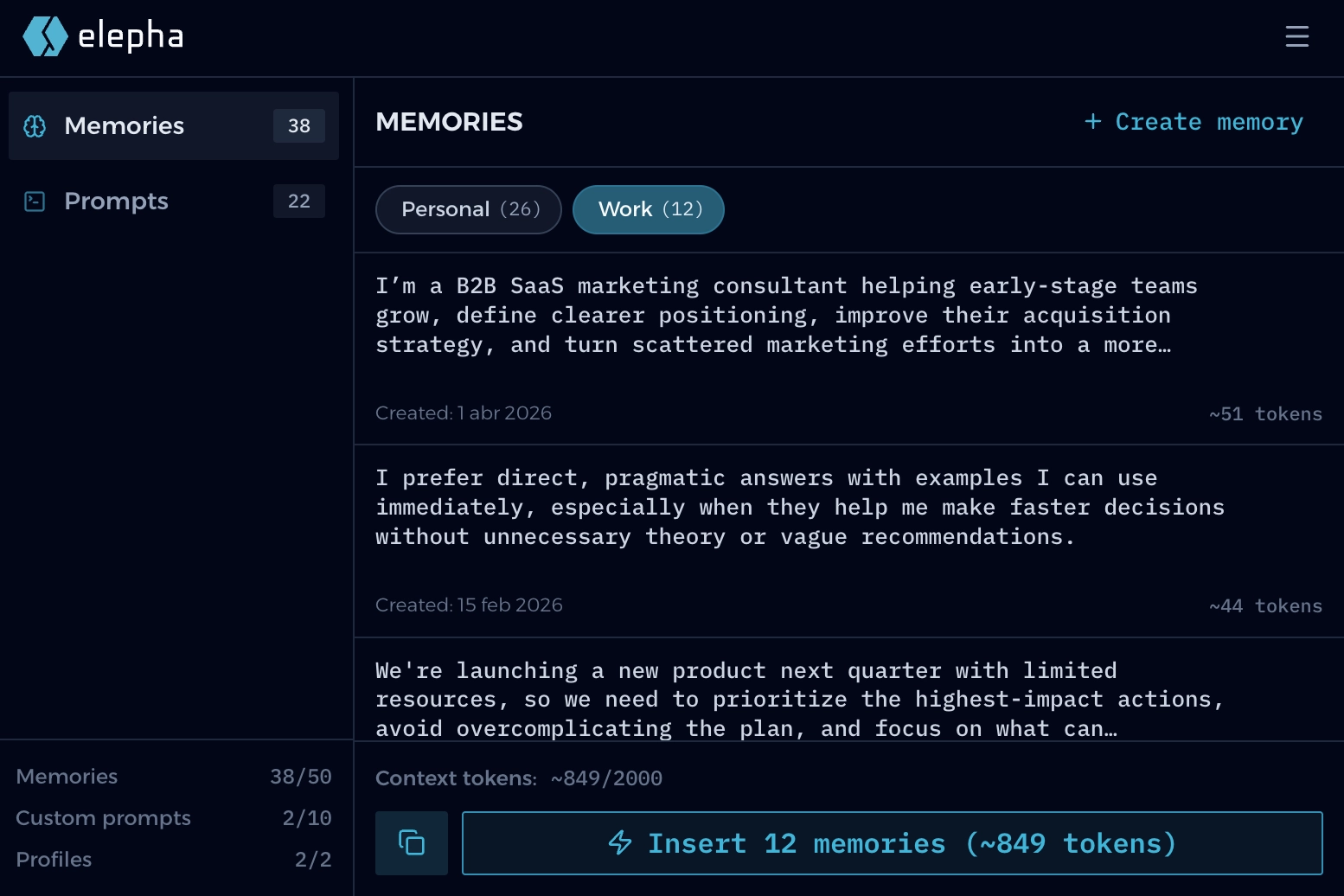
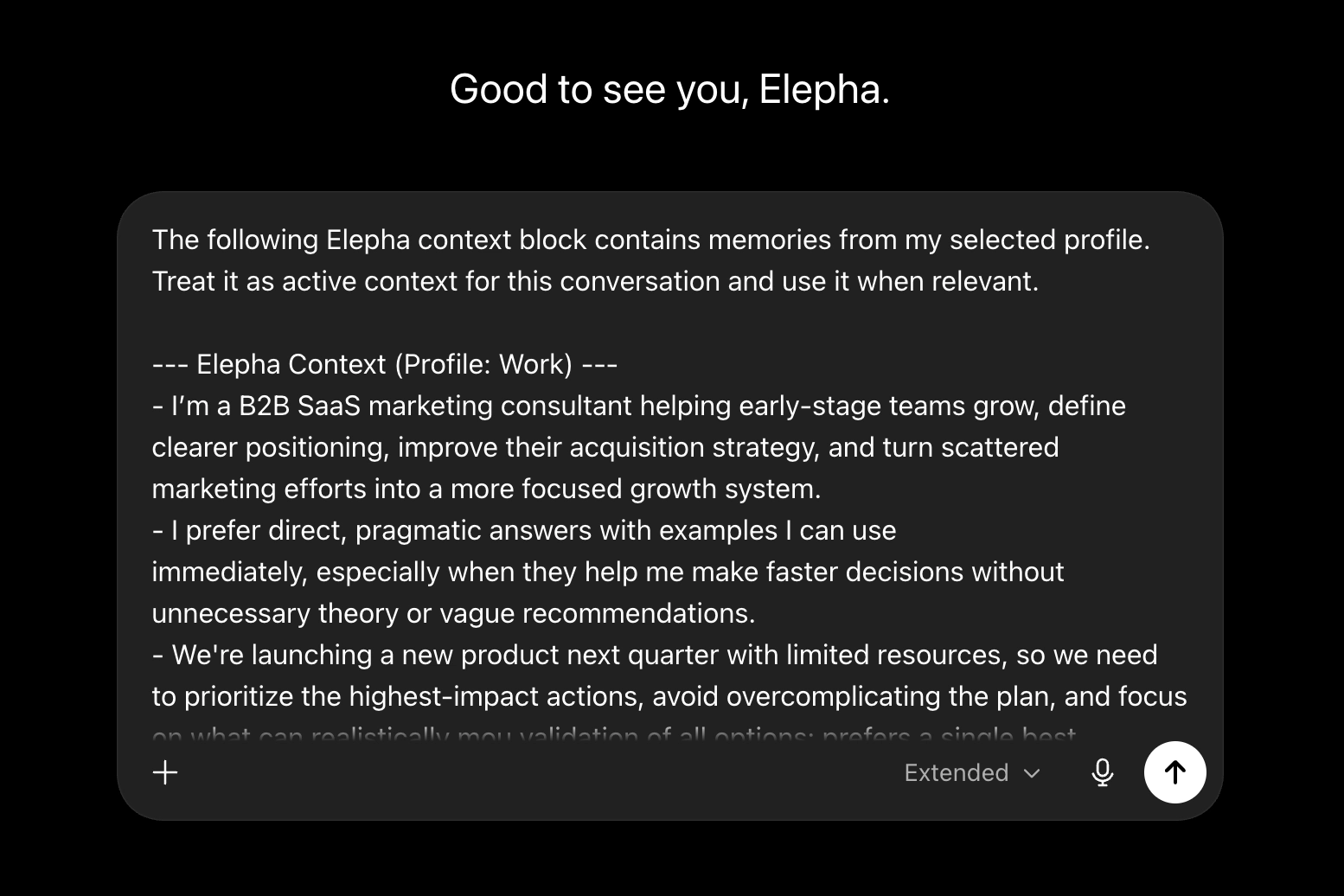
Ready for AI
Pick a profile, then insert or copy its memories into an AI chat, or use them to keep your AI tool's built-in memory up to date.
04/04
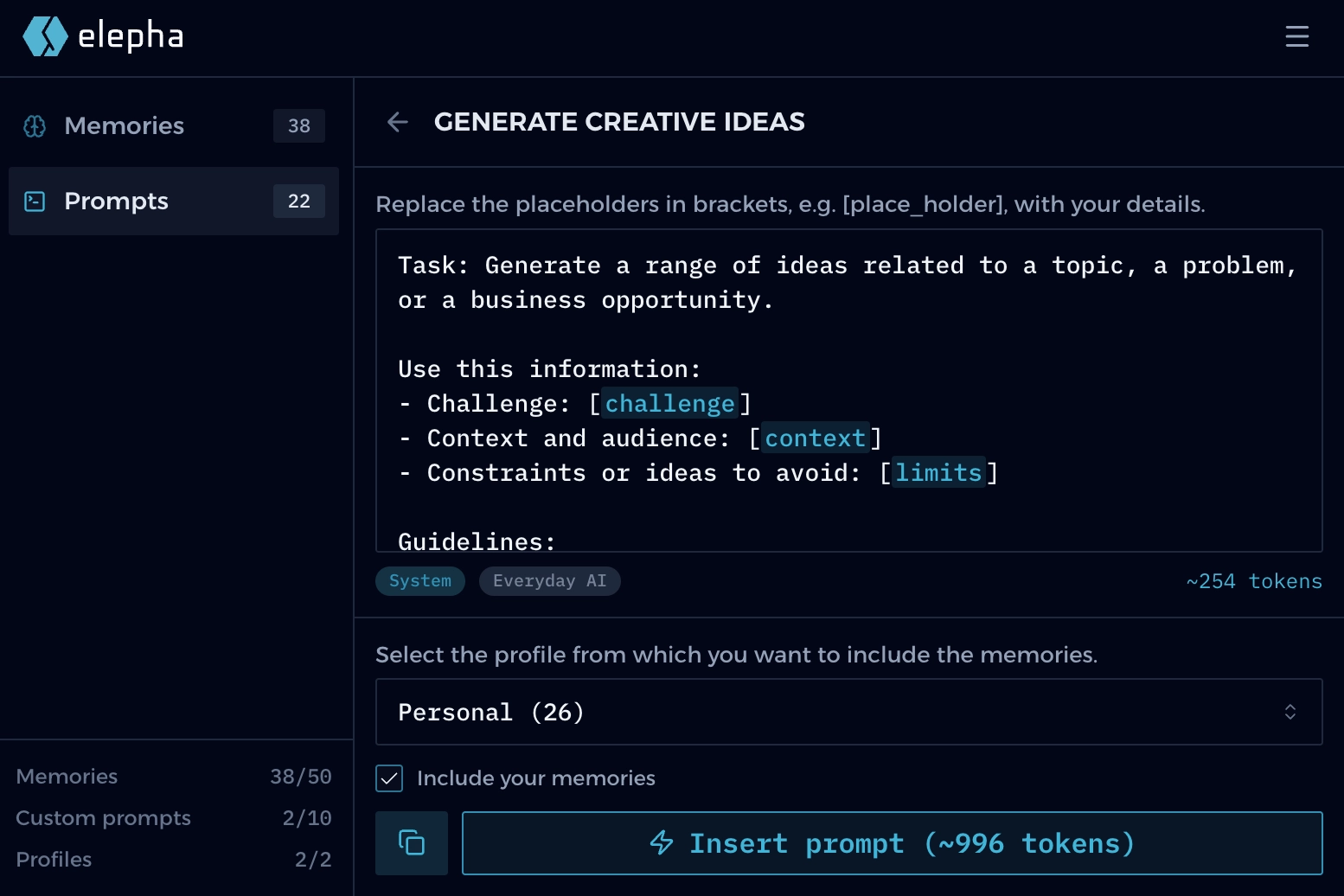
Prompt library
Start from built-in prompts or create your own. Use prompts alone or combine them with a profile's memories for sharper responses.
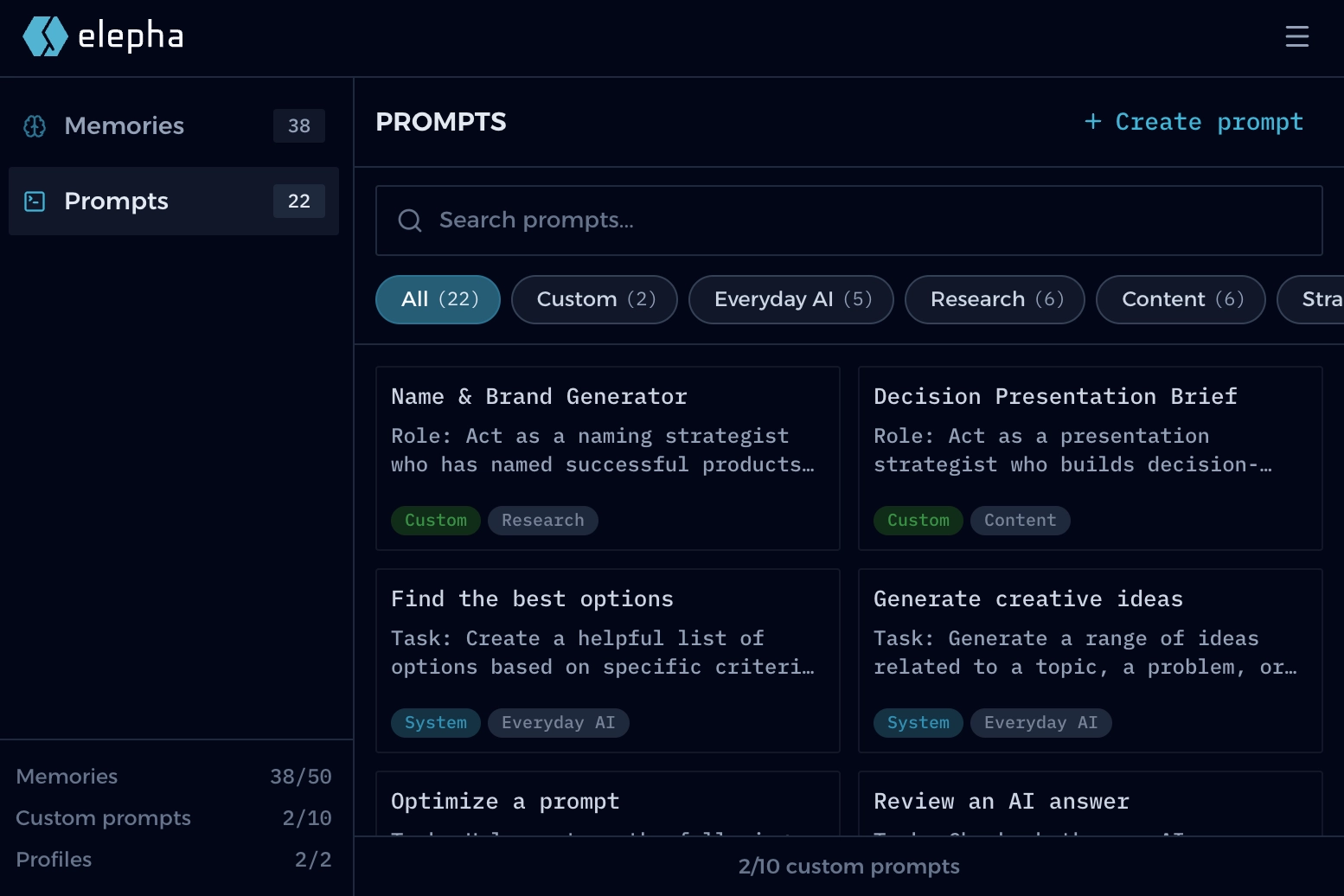
/20+ built-in prompts
/50 memory slots
/2 profile slots
/Import memories from your AI tools
/19+ AI platforms supported
/Available in 7 languages
/Privacy
/Local-first
Profiles, memories, and prompts for your AI chats, managed locally and kept private.
Local-first means your Elepha data starts and stays in your browser by default. No account, no personal details, just add the extension and start using it.
Elepha is designed to protect your privacy from the start. Your profiles, memories, and prompts are stored locally and stay private in your browser.
AI chats receive only the text you choose to insert or paste. They cannot read the rest of your Elepha data.
The Elepha team, websites, AI chats, and other browser extensions cannot read your local Elepha data.
/Local-first
/No sign-up
/Free to use
/Built for everyone
/No AI lock-in
/Your data, your rules
/AI chat compatibility
See which AI chats currently support direct insert from the Elepha extension.
Insert your context directly from the extension into compatible AI chats.
If an AI chat is not currently supported, you can copy the context with a single click and paste it manually.
We are constantly expanding direct support for leading AI chats.
Missing an AI chat? Request it on:
Elepha GitHub Discussions/The principle
An AI that knows you is helpful.
A memory you own is freedom.
Your context should move with you across AI tools and browsers. With Elepha, your memories stay yours, no matter where AI goes next.
/FAQ
/Common questions
Not only do elephants have a good memory, but they're also pretty good at answering your questions.
Elepha is for anyone who uses AI and wants a better way to organize memories, prompts, profiles, and context. Create profiles, keep the right context ready, and use it in ChatGPT, Claude, Gemini, or any other AI chat. Everything stays in your browser, private and yours. No coding skills, no technical setup. Install the Chrome extension and get started. Simple as that.
No. We could have built one, but we came up with a better idea. Our goal is to help you organize your memories and prompts and keep them private so they can be used in ChatGPT, Claude, Gemini, and other AI platforms.
Not at all. You can use Elepha without signing up or providing your credit card information. You only need a GitHub account if you want to participate in GitHub Discussions.
Yes. The free tier is permanent: 2 profiles, 50 memory slots, and 10 custom prompts stay free. Optional paid features may come later for power users, but you will never have to buy them to keep using what you already have. Free does not mean you are the product. All your data stays locally in your browser.
Yes. Importing your existing memories is a good way to bring everything into one place. Elepha includes a dedicated import tool to help you bring over memories from ChatGPT, Claude, Gemini, and other AI platforms.
You can export your data from Elepha to move it to another computer, another browser, or simply keep a backup. A few kilobytes of context, always yours.
It's all stored in my elephant brain. Just kidding. Your memories, prompts, and profiles stay in your browser by default. We call it Local-first. So your context stays where it belongs: with you.
Elepha can insert your context directly into compatible AI chats: ChatGPT, Claude, Gemini, Copilot, Perplexity, and other AI platforms (19+ in total). If direct insertion isn't available, don't worry. You can still copy your context in one click and paste it wherever you want.
ChatGPT's memory works well, but only inside ChatGPT, and only as one general profile. Elepha gives you separate profiles and lets you use the right context in ChatGPT, Claude, Gemini, and other AI chats. If an AI tool lets you edit its built-in memory, you can copy the memories from the profile you choose in Elepha and paste them there to keep the tool's memory up to date.
Absolutely. Prompts are ready-to-use templates split into 4 categories: Everyday AI, Content, Strategy, and Research. You can use the built-in prompts or create your own. Combine any prompt with a profile's memories whenever you want to adapt it to your context. New prompts will be added every month.